
It all started on a Friday afternoon. A few days before, I had stumbled upon suzuori's personal page on Twitter, an osu! player, and it stuck in my head.
The design caught my attention precisely because it was simple. These days we're surrounded by AI slop pages, full of cards inside cards, more and more complex and "modern", and that basic way of making websites kind of faded into oblivion. So, with my friend Maot on call and a freshly paid Claude subscription, we decided to put our friend Claude to work.
Starting with Figma
We started by installing the Figma plugin in Claude Code, which already comes with its MCP:
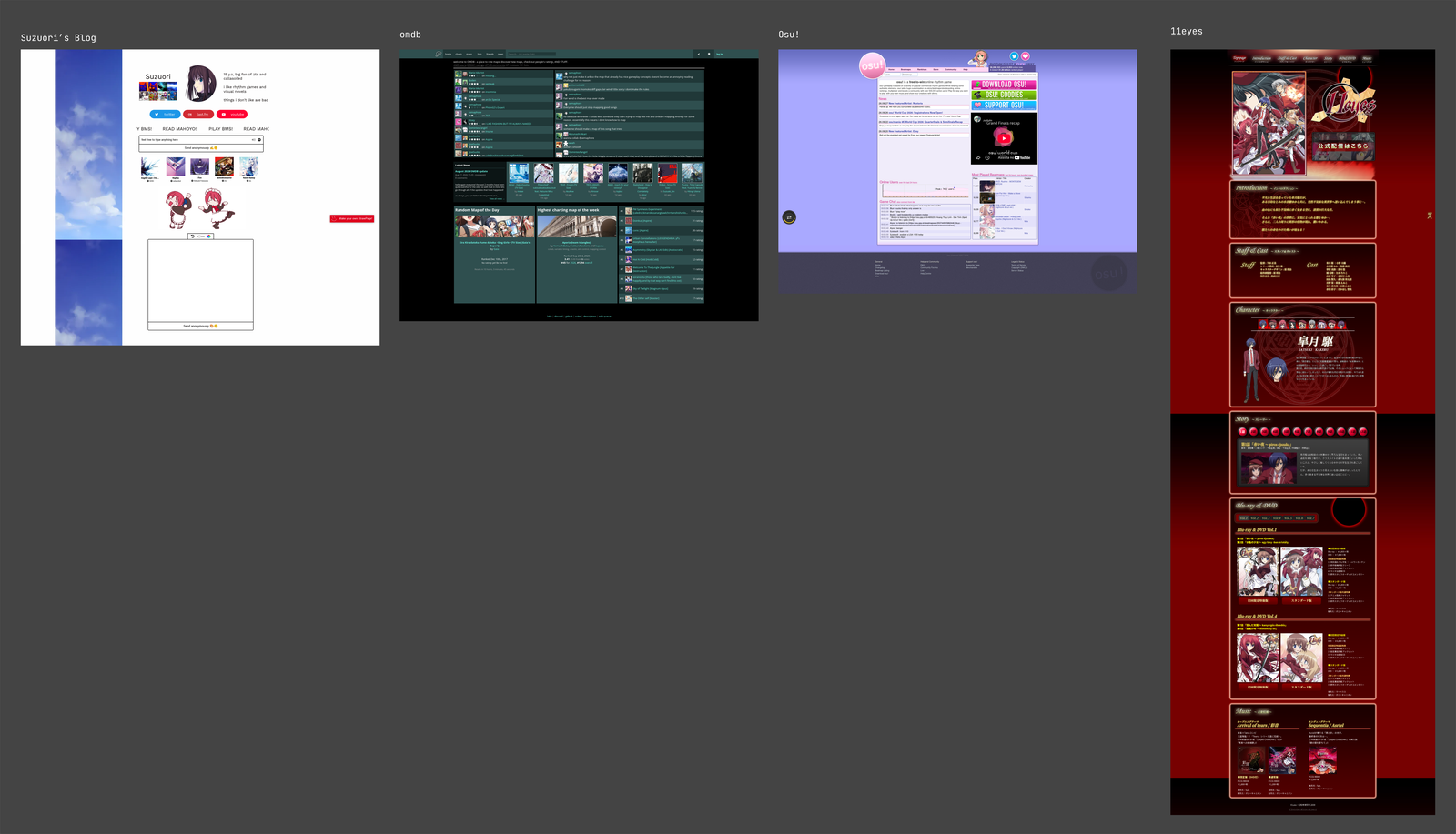
/plugin install figma@claude-plugins-officialAfter that we created a new project in Figma and started gathering references. Besides suzuori's page, we added omdb, the osu! website itself and the page for the anime 11eyes. The idea was never to copy any of them, just to use them as reference.
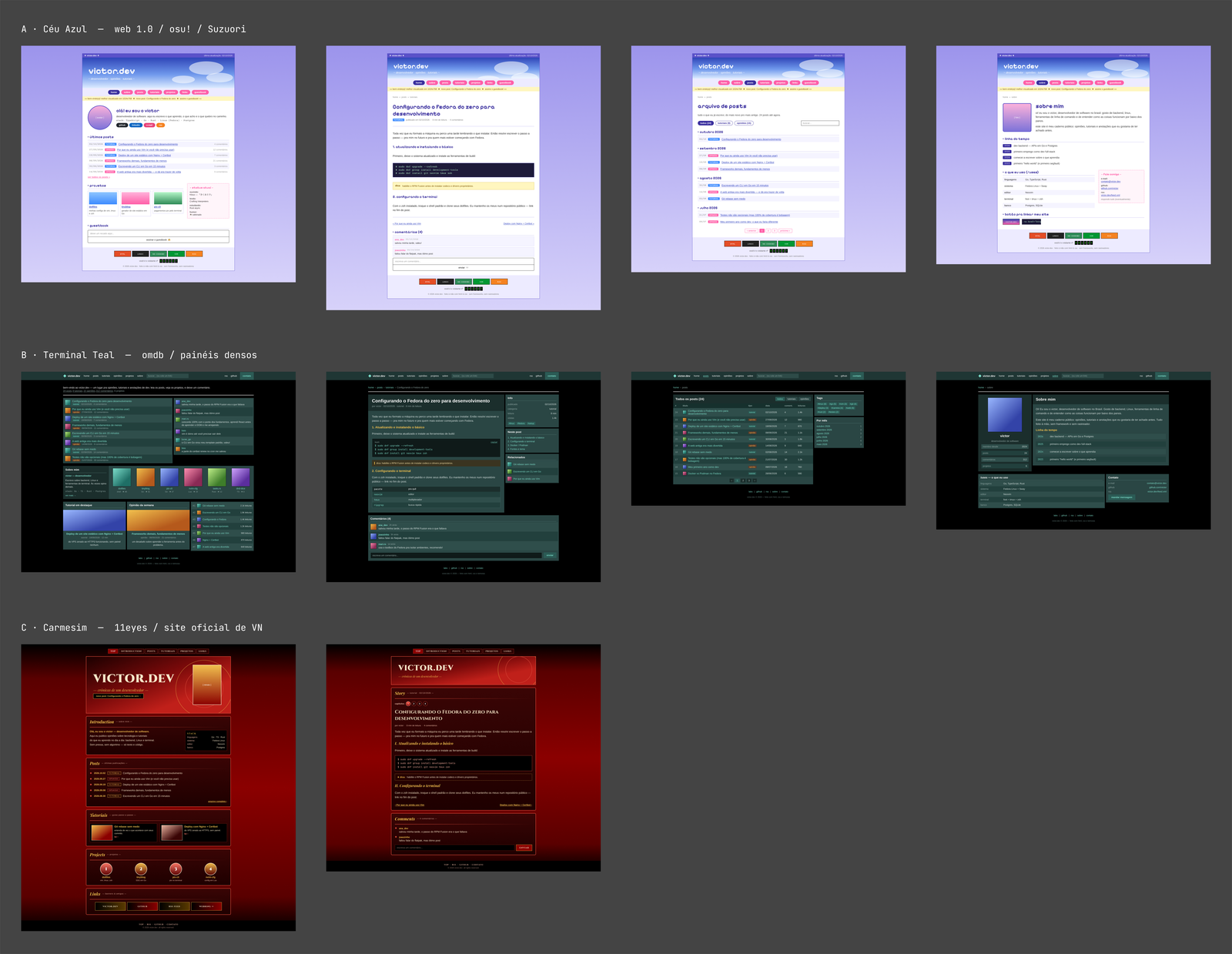
We asked Claude to put together a few proposals based on that. First came three color palettes, and the winner was "Céu Azul" (sky blue), a lavender background with purple, pink and a very classic link blue. With the palette chosen, we asked for a second round, this time with four different layouts: a Windows 98 style window, a lined notebook with tabs, an "HTML 1999" one with tables and a serif font, and one with RPG dialog boxes, with stats and an inventory.
Moving to Penpot
Halfway through, we hit the call limit of the Figma MCP. That's when Maot suggested Penpot, a design tool similar to Figma, but free and open source, which also has an MCP so Claude can talk to it.
Unlike Figma's, the Penpot MCP runs on your own machine. The first step is to download and start the server, which takes a single command:
npx -y @penpot/mcp@latestThis command starts two addresses: one at localhost:4400, with the plugin that goes inside Penpot, and another at localhost:4401, which is the MCP itself. With it up, all that's left is to introduce the server to Claude Code:
claude mcp add penpot -t http http://localhost:4401/mcpFinally, inside Penpot, just load the plugin from http://localhost:4400/manifest.json and click "Connect to MCP server". From then on Claude can read and draw directly in your file, as long as the Penpot tab stays open with the plugin running.
Choosing the design
With the four layouts side by side, the one that won me over was HTML 1999. But I still wanted a dark mode, so we tested a few more things on top of it: six color schemes and twelve font pairings.
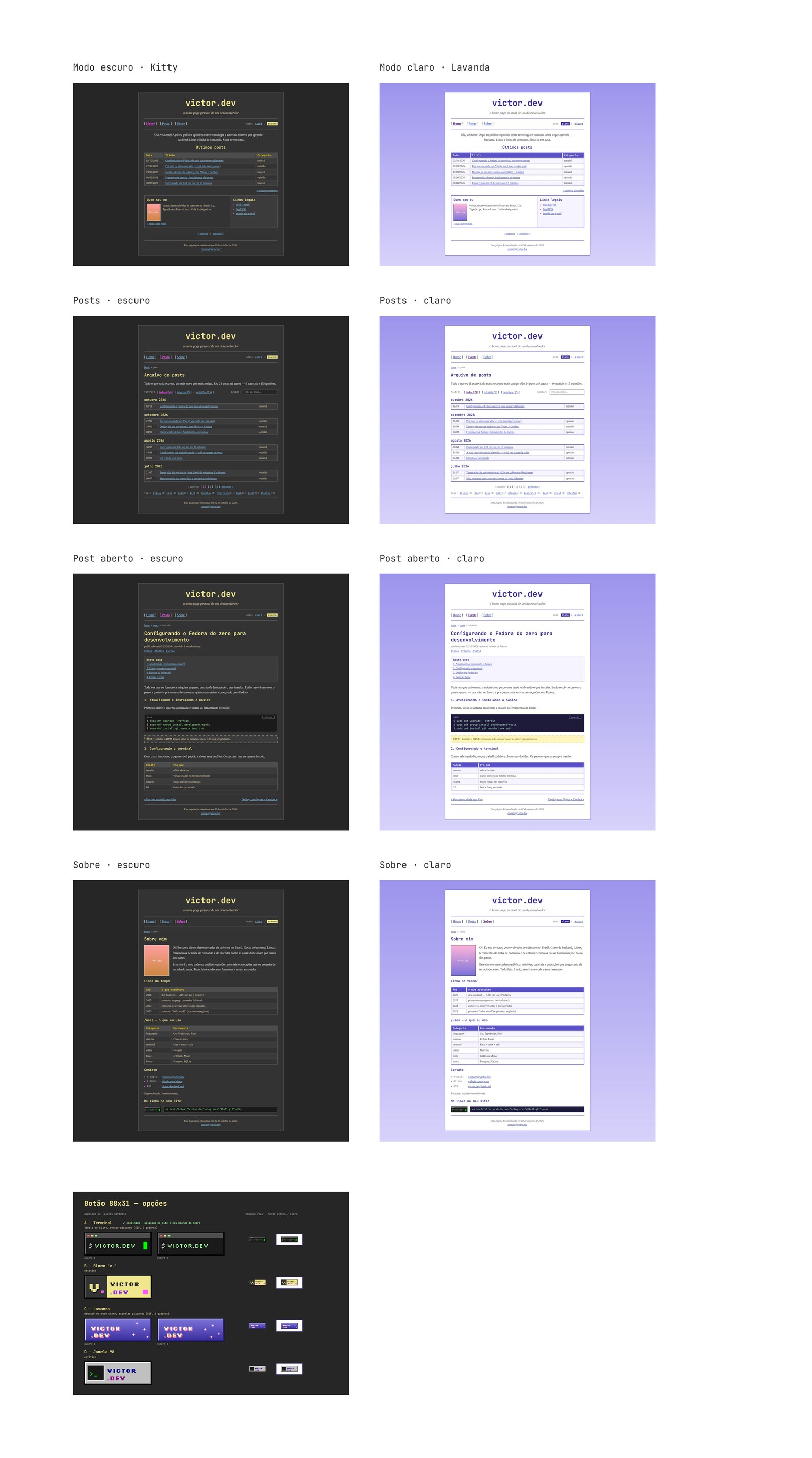
In the end there were two themes. The dark one uses the colors of my terminal, kitty, with a gray background, white text and that green cursor. The light one is Lavanda (lavender), which came from the Céu Azul palette. For fonts, we went with JetBrains Mono for headings and Tinos for body text, which looks a lot like the Times New Roman of the old days.
I also took the chance to trim a few things by hand. Out went the "under construction" banner, the guestbook and the visitor counter. As much as they're the face of that era, I wanted a truly static site, with nothing that needed a server. The only very 2000s thing that stayed was the 88x31 button, a pixel art terminal with a blinking cursor, which you can find on the About page.
From design to code
Actually implementing it was the easiest part. I wanted to write posts in Markdown and end up with only static files, no database and no server running anything. We looked at a few options, like Hugo and Eleventy, and ended up going with Zola, a static site generator written in Rust. It's a single binary with no dependencies, and it comes with almost everything ready: code highlighting, feeds, a search index, categories and tags.
The workflow is pretty simple. While I write, I keep a local server running, which reloads the page by itself every time I save a file. When everything looks right, the build generates the public/ folder with the finished site:
zola serve
zola build
From there, we turned the Penpot design into HTML and CSS pretty much screen by screen: the Home page, the post list with filters and search, the post page with a table of contents and code blocks, and the About page. The colors of both themes became variables at the top of the CSS, so switching themes is just swapping the set of variables. After that we kept polishing the texts little by little, in Portuguese and in English.
A few rules guided everything. The site has to work without JavaScript, and the little that exists is only for the theme button, the copy code button and the search, which runs entirely in the browser on top of an index generated by Zola itself. There are also no trackers and nothing loaded from elsewhere: even the fonts live on the site itself.
So I wouldn't have to set everything up by hand for each post, I also got a little script that creates the post folder, with the front matter already filled in and a folder for images. This very text was born with it:
./novo-post.sh -c pessoal -t "zola,penpot" "Como foi criar este site"Lastly, the site is hosted on Cloudflare Workers, serving only the static files, with no code running on the server. Publishing a new version means generating the build and sending the folder there:
zola build && npx wrangler deployThe result is what you're looking at right now on your screen.
Thanks for reading.